AI folder organization for your Mac

Point Sorty at a folder to get a plan for sorting and renaming its files. Review the changes before applying them. Use a local AI model or connect your preferred provider.
 Sorty at a folder to get a plan for sorting and renaming its files. Review the changes before applying them. Use a local AI model or connect your preferred provider.
How it works
Choose a folder. Review the plan.
Check the suggested changes before Sorty moves your files.
- 1
Choose a folder
Choose Downloads, Desktop, a project folder, or a folder on an external drive.
- 2
Sorty scans the contents
It reads file names, types, and metadata locally to understand what is inside.
- 3
Sorty suggests a plan
Sorty proposes folders, file names, and moves based on what it finds.
- 4
Review the plan
Check the proposed names and locations. Exclude changes you do not want.
- 5
Apply when ready
Apply the plan to move and rename files. Use History to undo an organization.
Features
Organize, rename, and review
Set your preferences, compare suggestions, and keep a record of changes.
Folders that fit your files
Group files by type, project, date, or topic. Tell Sorty how you want them organized.
Preview names and locations
Check each proposed file name and destination before applying the plan.
Learns your preferences
Keep or reject suggestions and Sorty adapts to your naming and grouping style over time.
History and undo
Review past organizations and undo file moves and renames from History.
Finder integration
Right-click a folder in Finder to open it in Sorty.
Bring your own AI
Use cloud providers or run a fully local model. You pick what powers the suggestions.
 OpenAI
 Claude
 Gemini
 GitHub Copilot
 Groq
Groq Ollama
 OpenRouter
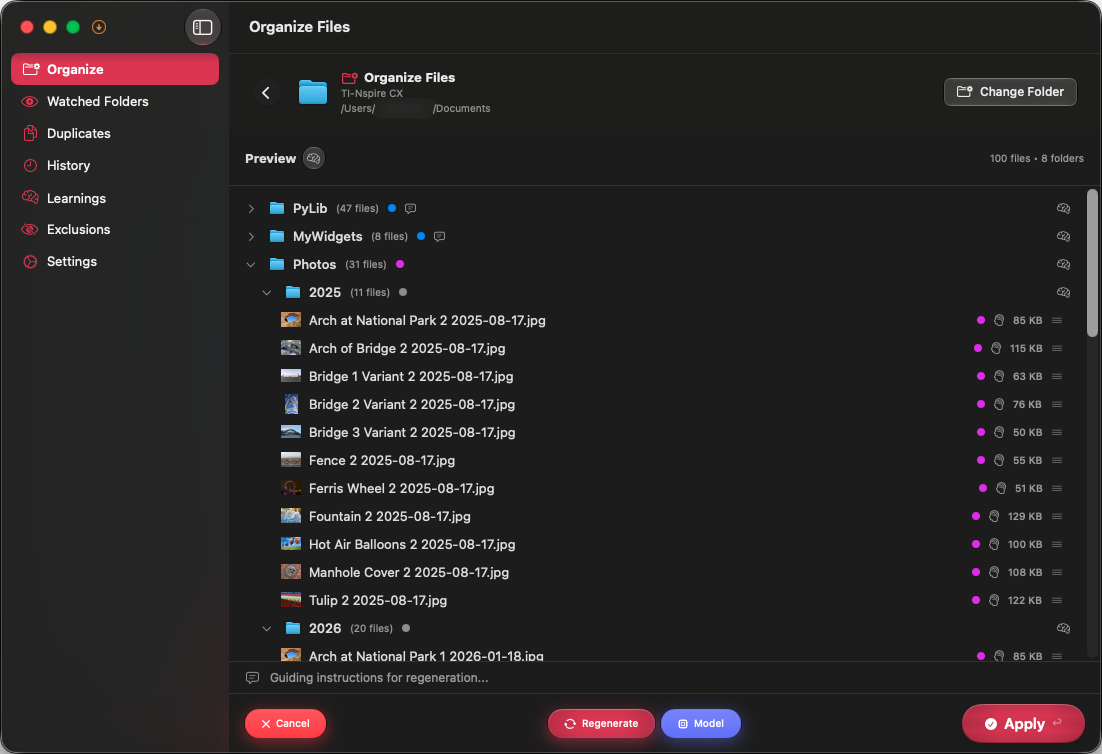
Preview every move
Check proposed changes before applying them.
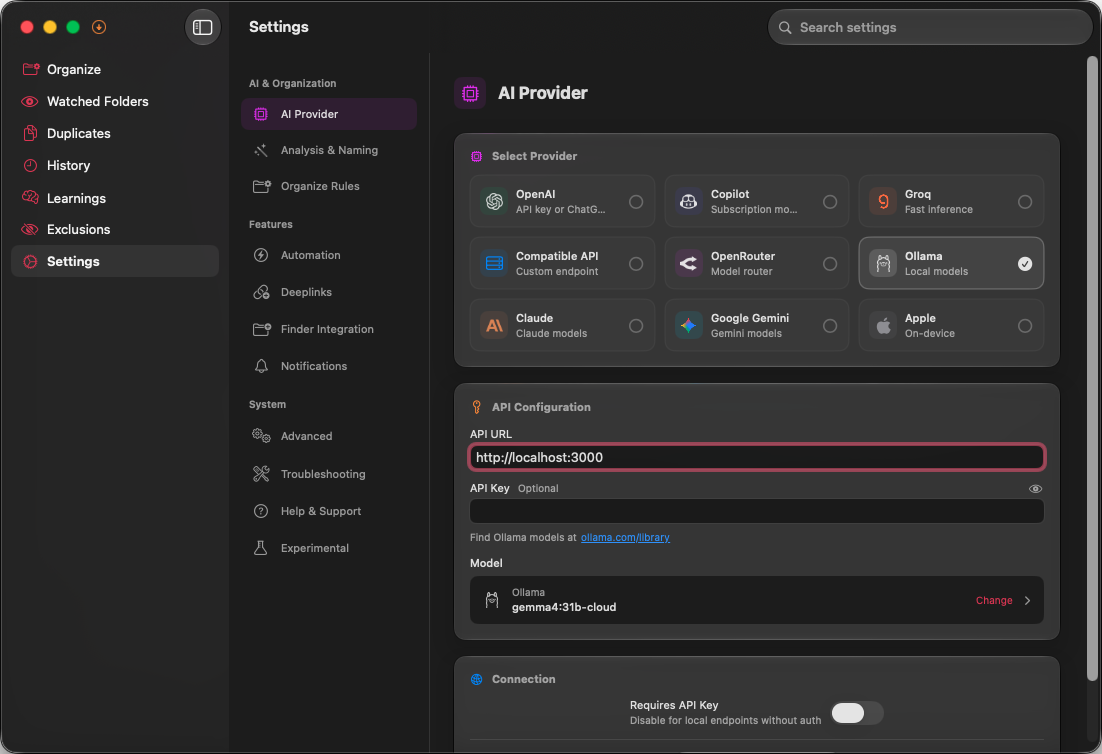
Choose your AI provider
Connect a cloud provider or run everything locally with Ollama.
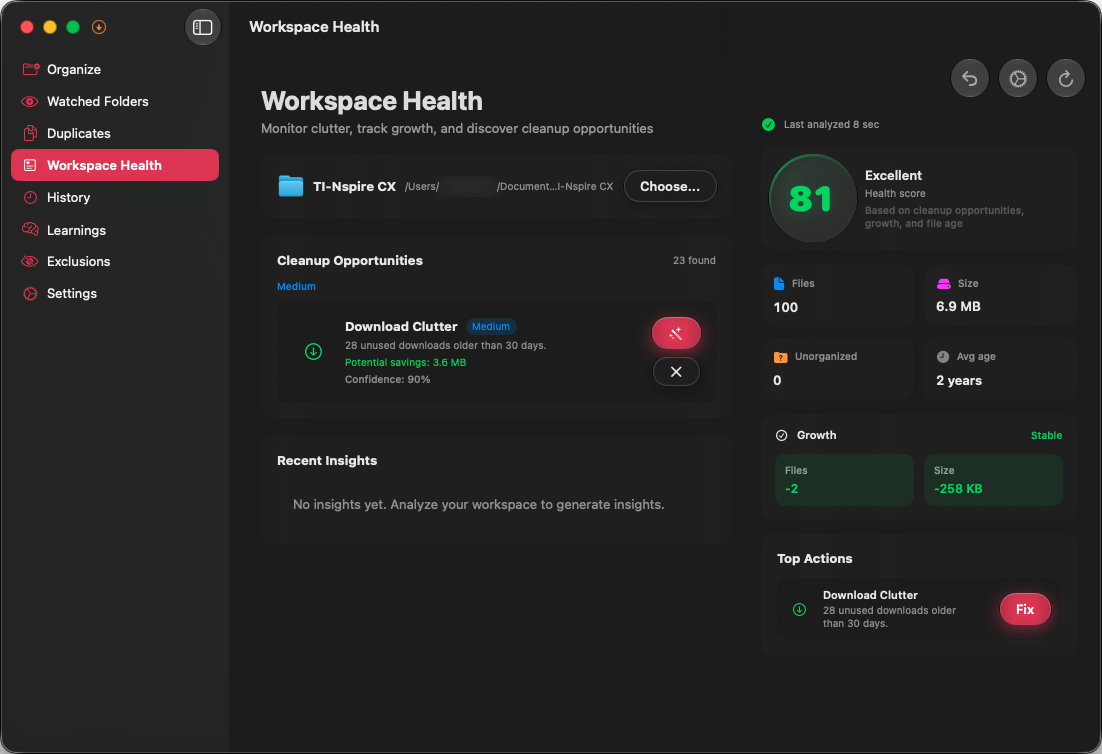
Check folder activity
See clutter, stale folders, and automation status in one place.
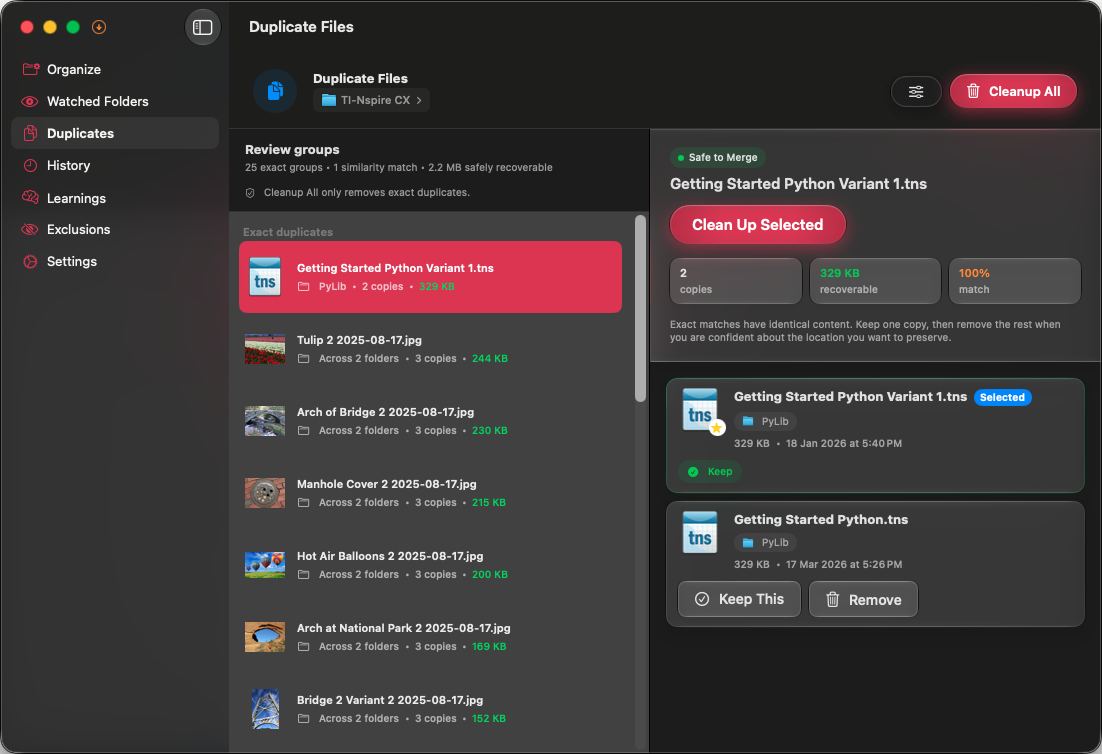
Compare duplicate files
Compare duplicate candidates before choosing what stays.
Privacy
Your choice of AI. Your data.
Use a local model to keep analysis on your Mac, or send file information directly to a cloud provider you choose.
File names and metadata go to your selected AI provider. Deep Scan adds file contents when enabled. Sorty does not route that data through its developers.
Optional analytics
Sorty has no file-processing backend and never sends us file names, paths, contents, prompts, provider responses, or API keys. Anonymous app analytics and crash reports only start if you explicitly allow them, and a denial is never reported.
Choose who processes your files
Sorty sends file names and metadata directly to your chosen AI provider. Enable Deep Scan to include file contents.
Run AI locally
Use Ollama or Apple Foundation Models, keep anonymous analytics off, and your organization workflow stays on your Mac. Block Internet Connections can enforce that choice.
Choose which folders to organize
Grant Sorty access to the folders you want to organize. It saves that permission so you can reopen them later.
Sorty is open source under the GPL v3. Read the code to check how it handles your data.
Pricing & availability
Free and open source
Sorty has no subscription or activation code. Cloud AI providers may charge for usage. Donations support development.
- All features included
- Unlimited folders and organization runs
- Bring your own AI provider or run local
- Full source code under the GPL v3
- Community support on GitHub
Apple Silicon & Intel · Works with iCloud Drive, Dropbox, and external drives · Donations are optional
Ask your AI about Sorty
Copy a prompt into ChatGPT, Claude, Codex, or Claude Code for help with Sorty.
Choose a topic to copy its prompt.
Compare Mac organizers