Private, local AI organization

Organize files with local AI that can stay on your Mac

Sorty supports local AI providers for users who do not want folder metadata sent to a cloud model. The same preview-and-approve workflow works with Ollama and supported Apple on-device models.

Free · GPL v3 · macOS 15+ · Apple Silicon and Intel

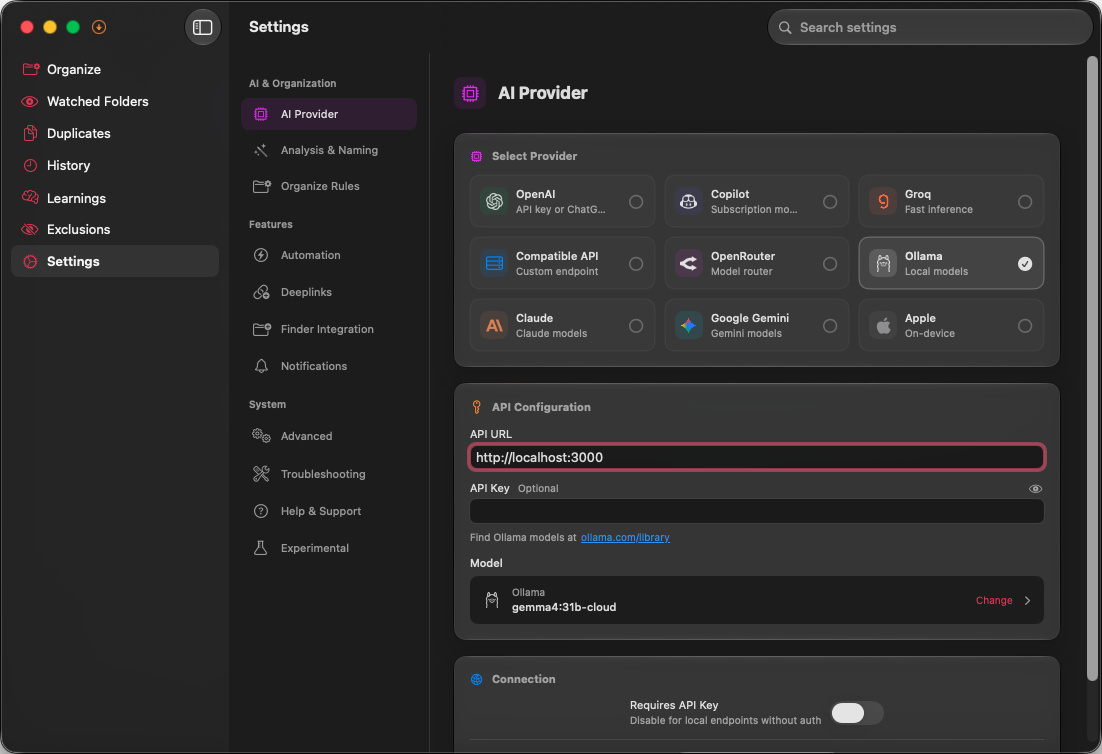
Sorty settings on macOS for configuring an AI provider.

How it works

From folder to reviewed plan in three steps

Follow the connected path. Each step appears as you reach it.

  1. 1

    Choose a local provider

    Connect Sorty to Ollama, or use supported Apple on-device models when your Mac and macOS version meet their requirements.

  2. 2

    Select a folder

    Sorty scans the folder locally and prepares bounded context for the model. Your folder access remains controlled by macOS permissions.

  3. 3

    Approve the local model’s plan

    Review the generated structure and individual file moves before applying anything, just as you would with a cloud provider.

What “local AI” means in Sorty

When Sorty uses Ollama on your Mac or an Apple on-device model, model requests are processed locally rather than being sent to a commercial cloud AI API. Sorty itself has no account requirement and does not operate an intermediary service for file analysis.

Offline availability depends on the provider. Ollama must be installed with an appropriate model available; Apple on-device support depends on compatible hardware, macOS, and Apple Intelligence availability.

Block every remote connection

Turn on Block Internet Connections in Advanced Settings to deny remote network requests while still allowing localhost. That keeps local Ollama workflows available and blocks cloud AI providers, updates, analytics, and other remote services until you turn the setting off.

Sorty’s Internet Access Policy lists each host the app may contact, why it is used, and exactly what stops working when that host is unavailable. The policy is available from the Help menu, and the same window includes the Block Internet Connections control.

Local and cloud providers remain your choice

Local models provide the strongest data boundary, while cloud models may offer different speed, context, or vision capabilities. Sorty supports both without locking the organization workflow to one vendor.

  • Local options: Ollama and supported Apple on-device models
  • Cloud options include OpenAI, Anthropic, Gemini, Groq, OpenRouter, and GitHub Copilot
  • Custom OpenAI-compatible endpoints are supported
  • API credentials are stored in the macOS Keychain
  • Deep Scan is optional and separately controlled
  • Block Internet Connections permits localhost and denies remote hosts

Know what cloud mode sends

When you select a cloud provider, Sorty sends available folder context and file metadata directly to that provider. Deep Scan can additionally extract supported content locally and send bounded text or metadata summaries. Review the provider’s terms and keep Deep Scan off when names and metadata are sufficient.